Inviting a client to multiple portals
Inviting a client to multiple portals
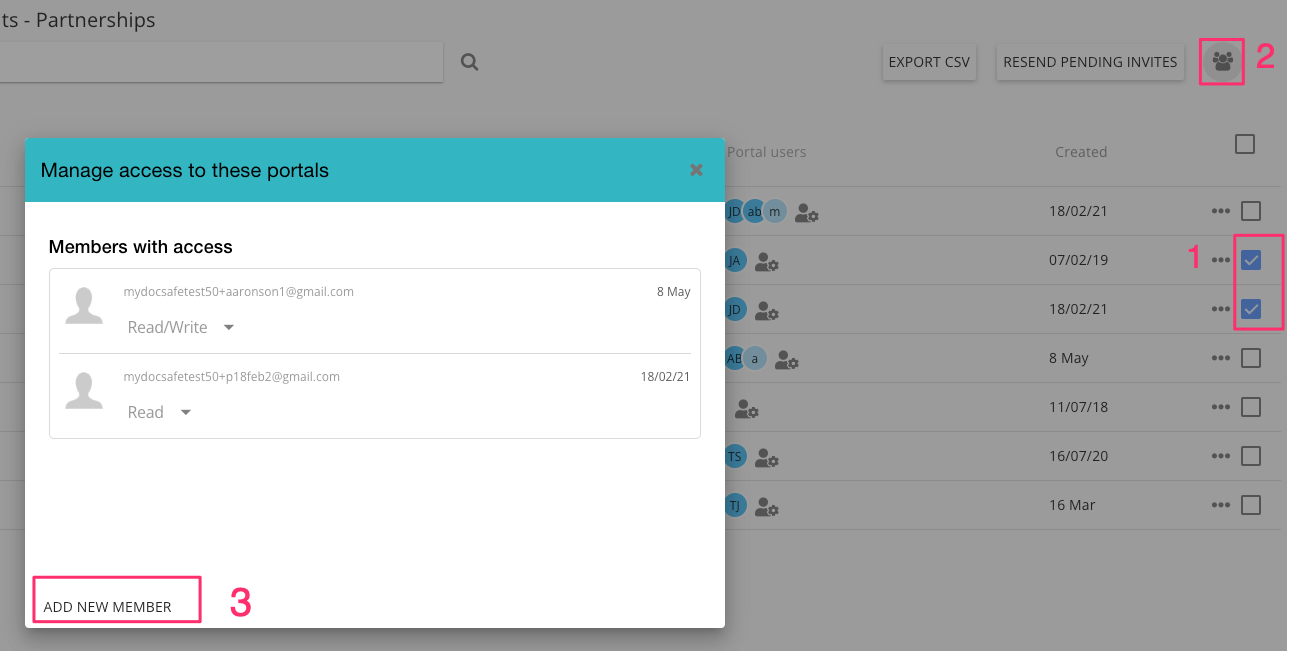
To invite a client to multiple portals quickly, follow these steps:
Multi-select the portals you want to invite your client to
select 'manage portal users' icon that appears in the top right corner
select "Add new memebers"
Note that your client will receive as many email notifications as the number of portals you selected