Sum up data from a Grid widget
Sum up data from a Grid widget
Grid widget lets you request data in tabular form. You may want to show a sum of that data below the table. You can do that in 3 easy steps:
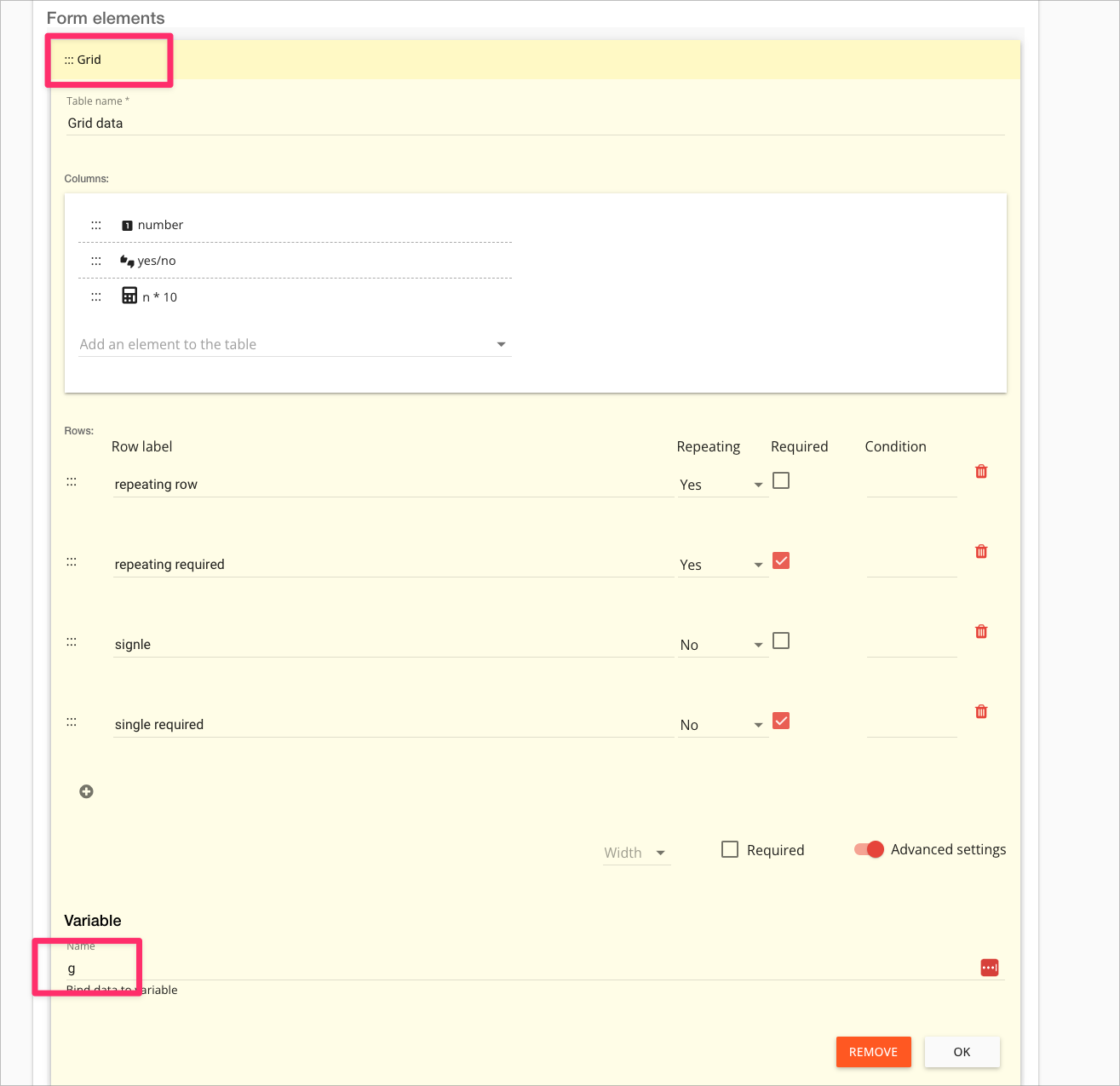
Add a variable name to the Grid widget
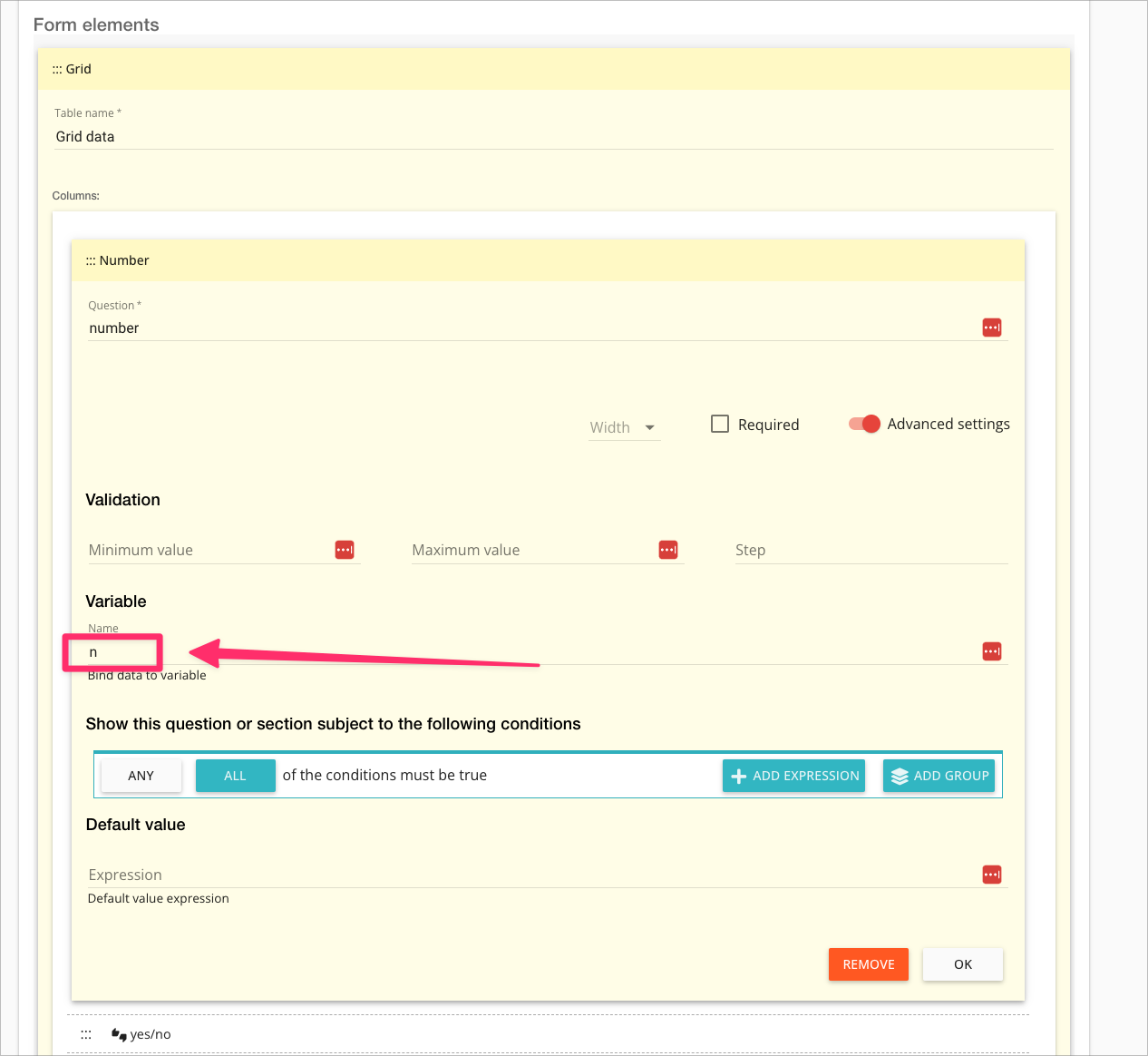
2. Add a variable name to the column you want to sum up:
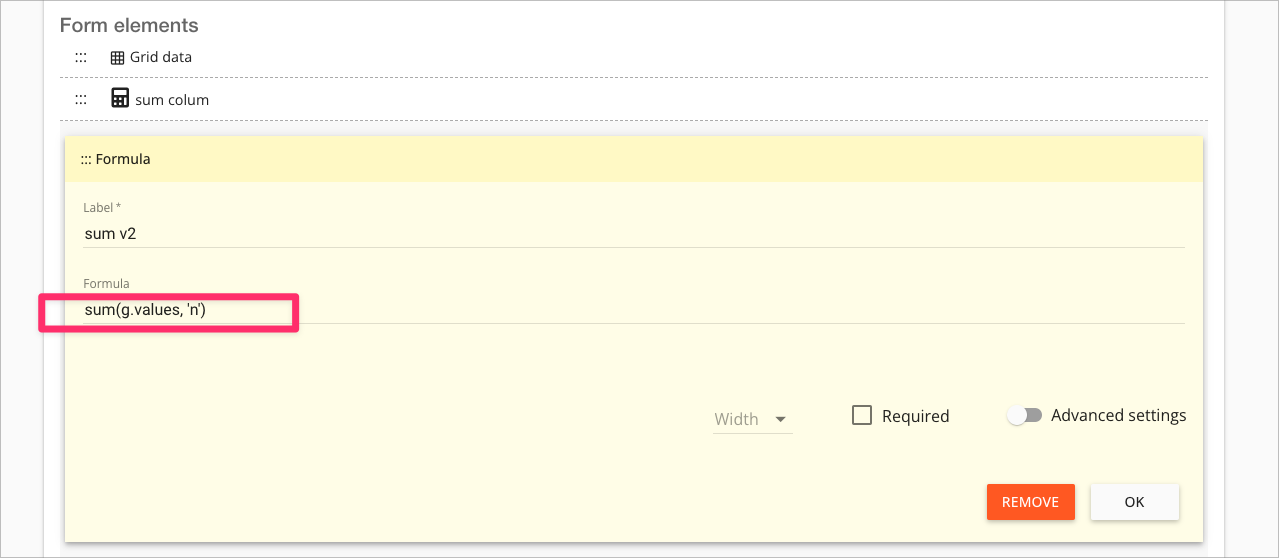
3. Add a "formula" widget and enter the formula like so:
sum(g.values,'n')
Here:
sum() is the function that does the adding
g.values takes the values entered in the grid called 'g'
'n' specifies that we only want the values in the column called 'n'