How to change an email address associated with my account?
How to change an email address associated with my account?
You can change the email address associated with your account as long as you still have full control over your current address.
Go to Personal Settings -> User Information and provide the new address.
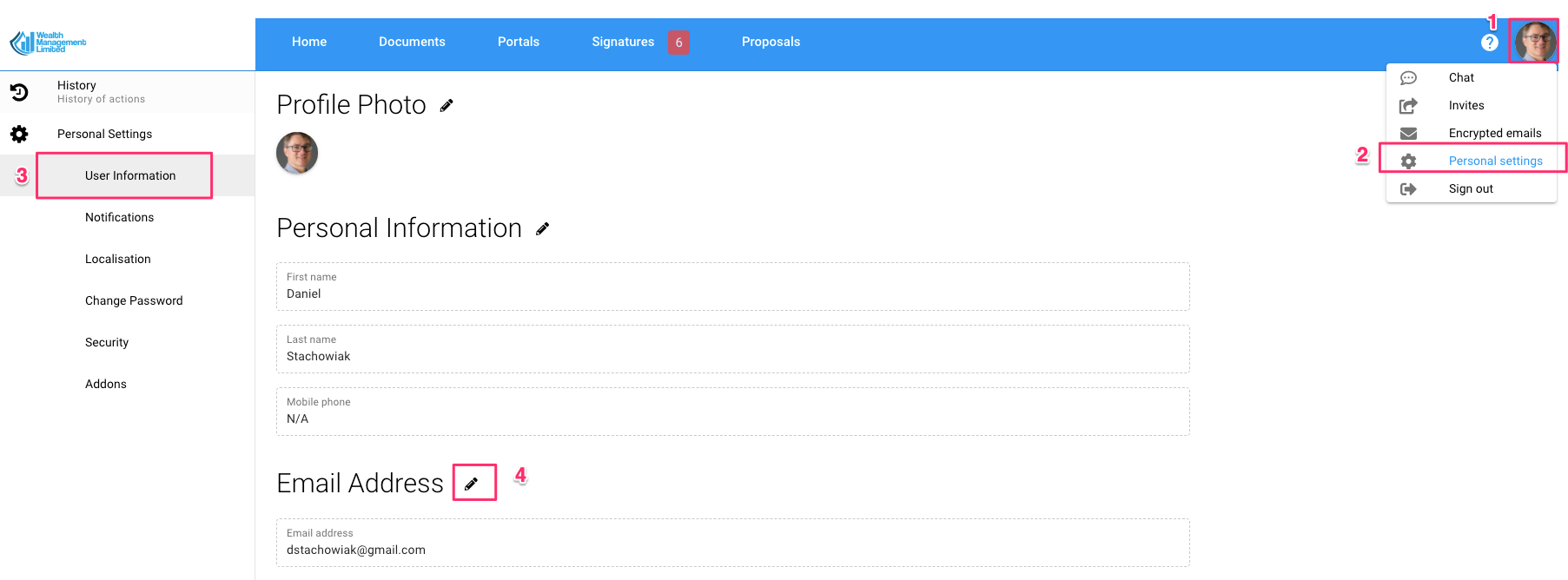
We will send you an email confirming your instruction. Once approved the email address will be changed.