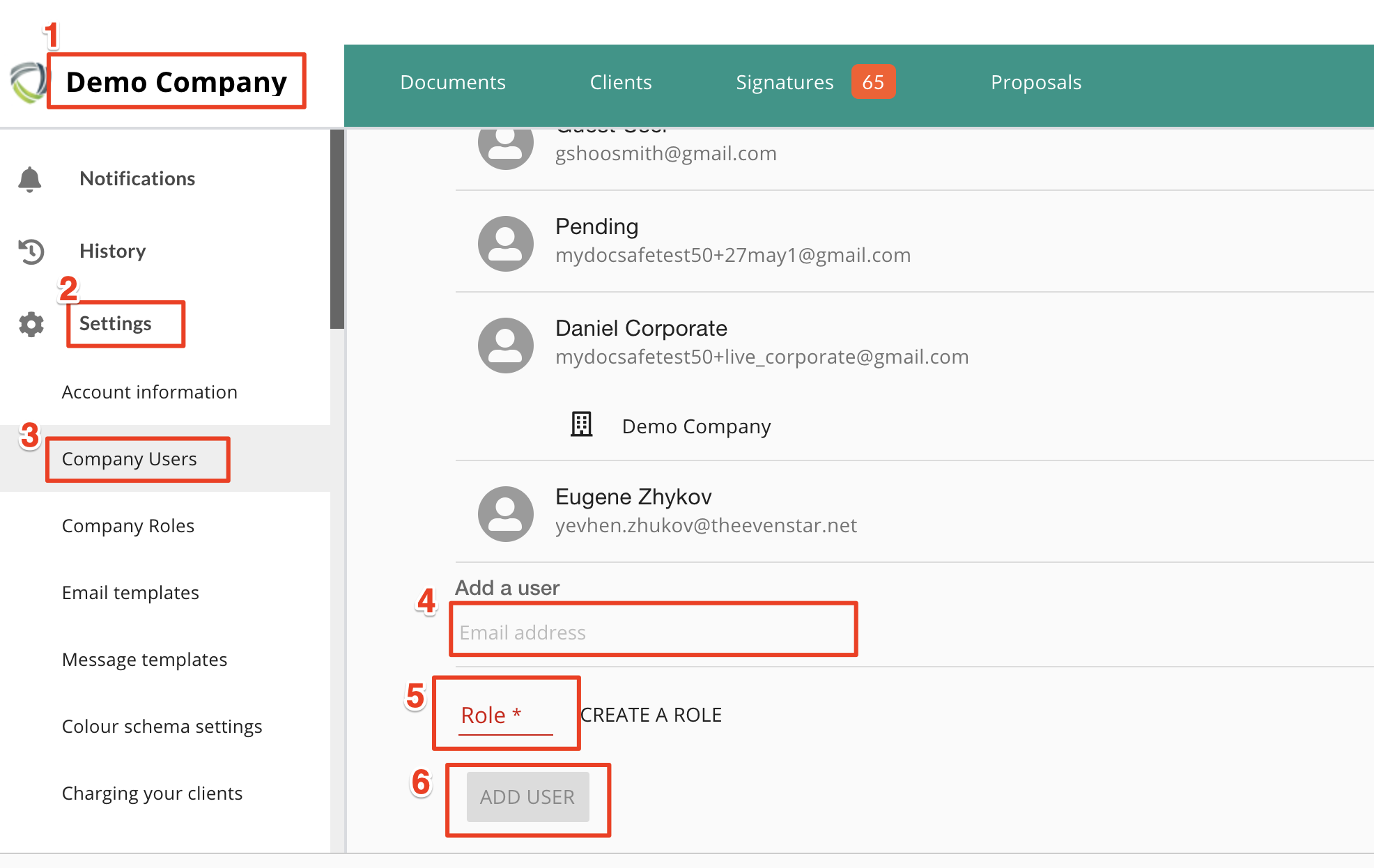
Add a new user / add new users
Add a new user / add new users
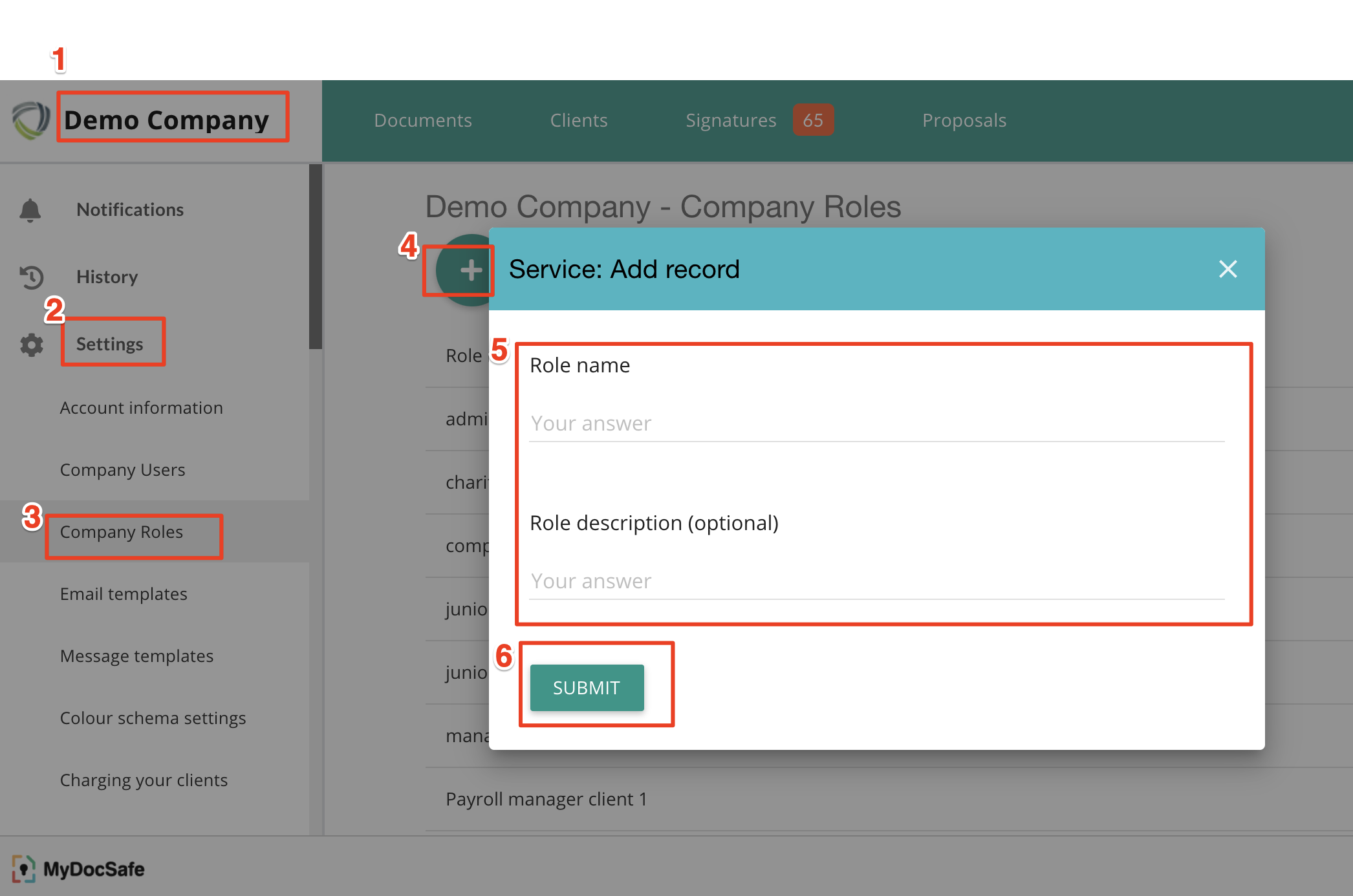
1. Add a role.
To add a new user you need to define a 'role'. A role is a set of permissions associated with a name. For example, "admin" can have access to the entire account, "Corporate Clients" can be a role with access only to "Corporate Clients" etc.
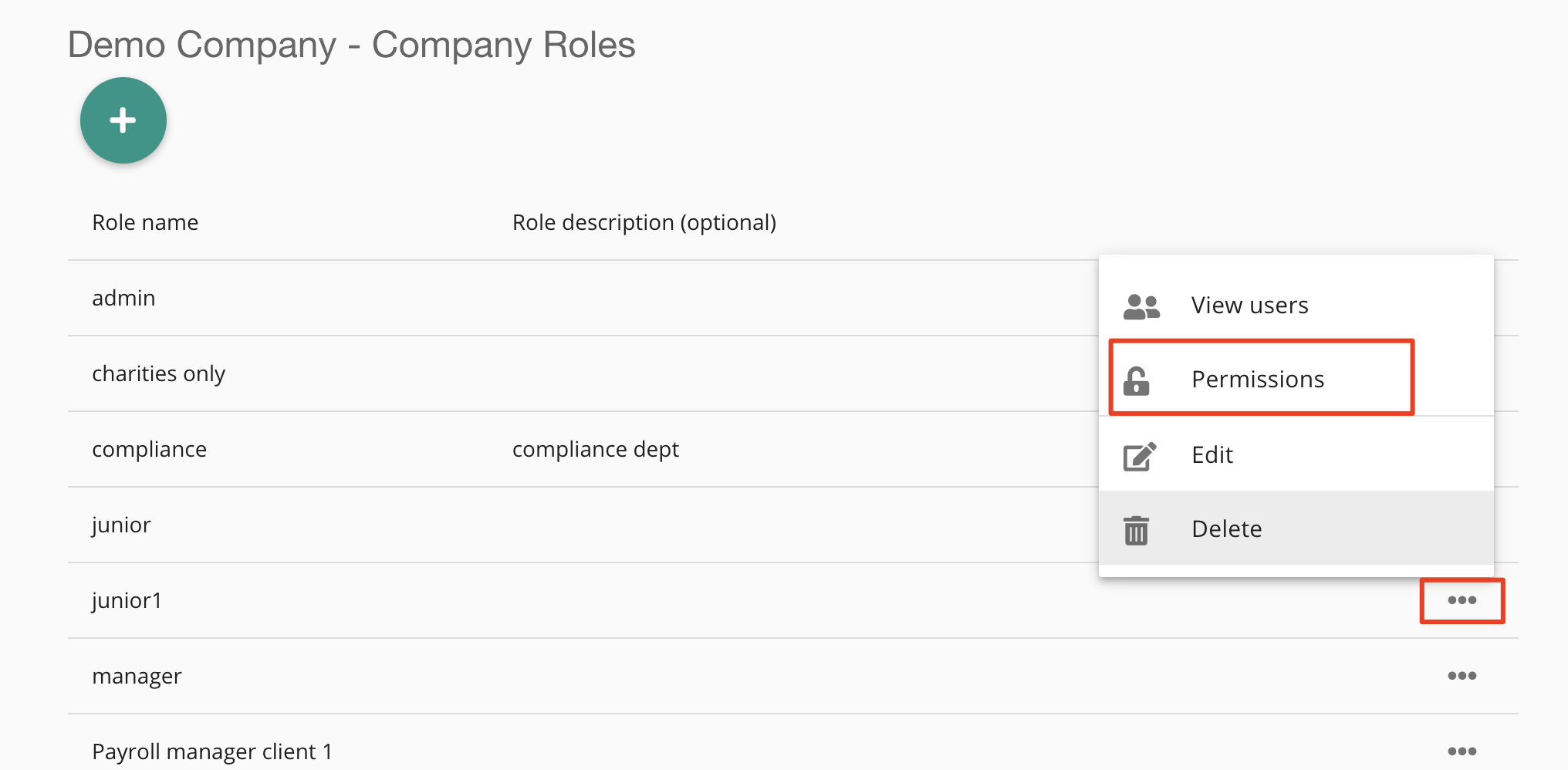
2. Define permissions
Next, add a set of permissions to the role you just created.
3. Add a user or users and assign the new role to them