Move from answers to engagement
Combine forms and file uploads with engagement documents and signing in a configurable onboarding workflow.
Explore this workflowUK software comparisons · Verified 19 November 2026
Content Snare focuses on collecting information, chasing answers and reviewing submissions. MyDocSafe brings forms, contracts, e-signatures and a continuing portal into one client journey, from the initial request to the next piece of work.
Written by MyDocSafe. Primary sources linked below; features, allowances and prices can change.
Why consider MyDocSafe?
Combine forms and file uploads with engagement documents and signing in a configurable onboarding workflow.
Explore this workflowSend engagement documents for electronic signing, with automatic reminders and an audit trail for your records.
Explore this workflowUse individual client portals for later documents and contracts once the initial questionnaire has been completed.
Explore this workflowContent Snare includes client access, reusable templates, reminders and answer-level review. Approval of an answer is not the same buying requirement as signing an engagement document.
| Your requirement | MyDocSafe | Content Snare |
|---|---|---|
| Questions and uploads | Web forms and questionnaires collect structured information for client work. Source | The drag-and-drop builder supports questions and file uploads within a request. [C1] |
| Repeatable requests | Reusable form templates support recurring information requests. Source | Requests and sections can be saved as reusable templates; unlimited templates are listed. [C1] |
| Information and review | Forms collect responses with controlled access and auditability. Source | Individual questions can be approved or sent back for changes. [C1] |
| Follow-up rules | Automatic signing reminders follow up agreements awaiting signature. Source | Scheduled collection reminders require a published request with a due date. Email, SMS and internal notifications are documented. [C3] |
| Client access | A portal supports continuing document exchange and contracts. Source | Access options include shared links without sign-in, magic links or email/password, depending on configuration. [C3] |
| Work in progress | Current plans list guest and storage allowances; size your quote for the clients you serve. Source | Clients and recipients are unlimited, but concurrent active requests are capped by plan. Archiving frees a request slot, not stored file space. [C2] |
| Signature requirement | Electronic signing and audit evidence are part of the document workflow. Source | Answer approval is documented as part of collection. Confirm your contract-signing requirements directly with Content Snare. [C1] |
| Branding and connections | Onboarding includes brand customisation and client portal access. Source | Custom branding is listed on Plus and above; integrations including Zapier support a wider workflow. [C1] |
Your intake is one stage of a wider transaction: collect client details, exchange supporting files, agree the work and obtain signatures, then keep a client portal available. You are looking to evaluate those stages together rather than optimise only the question-and-answer review.
The immediate problem is incomplete information, repeated chasing and reviewing individual answers. Its reusable request sections, answer-level approval and explicit active-request model may be a good match, especially if the rest of your agreement and document workflow is already working well.
The client journey
Collect the brief, agree the work and keep the documents available for the next exchange. Your team remains responsible for reviewing the answers before preparing the engagement.
Ask the client for the relevant answers and attachments. Test returning to the request on a different device and identify the review your staff must perform.
Use the completed information to prepare the engagement document. Send it for signing and check the client’s next action is clear.
Use the portal for signed copies and later document exchanges. Note whether consolidating that stage would genuinely reduce hand-offs in your current process.
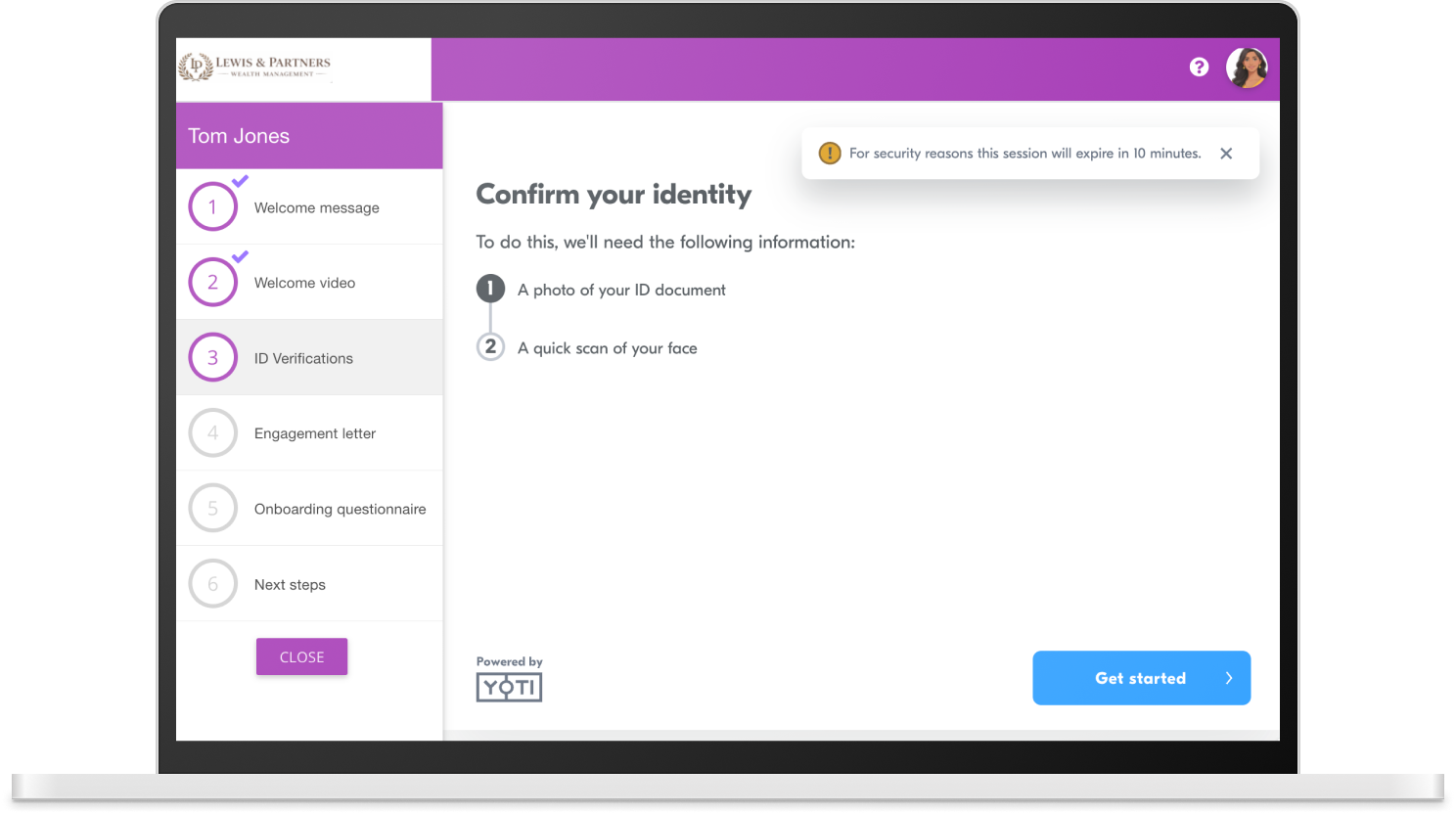
See how MyDocSafe client onboarding combines forms, file uploads, contracts and a client portal. Book a demo with your own documents.
Content Snare Basic is US$35 per month billed annually, or US$42 month-to-month, with applicable taxes extra. The published bundle includes 20 active requests, two team members, 20GB storage and 40 SMS credits per month. These are USD figures, not a GBP conversion.
The practical sizing question is how many requests are live at once, not how many clients are in your address book. Completing or archiving a request frees an active-request slot but does not remove its stored files. SMS credits have separate limits and do not roll over.
Compare a suitable Content Snare bundle plus any tools you retain for engagement signing and ongoing exchange with the appropriate MyDocSafe plan. Include currency exposure, applicable taxes and the annual commitment; cancellation does not imply a refund of unused annual fees.
Check Content Snare pricing and terms at the source. For MyDocSafe, compare the current plans, allowances and billing options; identity checks, qualified signatures and other add-ons need separate confirmation.
Budget for staff seats, client access, usage units, storage, migration, training and any tools you will retain. Check VAT, renewal terms and cancellation conditions with both vendors. We do not assume switching will save money.
Related context: Client-facing workflows for accountants and bookkeepers · MTD digital sign-up case study.
No. The reviewed terms allow unlimited clients and recipients. Basic’s 20 limit concerns active requests you have published, not client records. Completing or archiving a request makes room for another live request.
No. The official limits article says it frees an active-request slot, but stored files continue counting until deleted. Size the request and storage allowances separately.
Yes. It supports reminder schedules and email or SMS, with optional internal team notifications. Scheduled reminders require a published request and due date. SMS is subject to credits; unlimited email reminders do not mean unlimited SMS.
No. Reviewing or approving an answer and executing a document are different workflow requirements. Content Snare documents answer-level review. Confirm your agreement-signing needs directly, including any integrations or separate tools required.
Verified 19 November 2026 against public primary sources, not a hands-on benchmark or legal assessment. Fit recommendations are MyDocSafe’s editorial judgement. Prices and plan entitlements can change; confirm your requirements in a current quote. Higher tiers and custom bundles have different limits; foreign-currency prices have not been converted. Confirm signing requirements directly with Content Snare.
MyDocSafe evidence: portals, signatures, forms, onboarding and pricing. Sources describe capabilities, not a guarantee of suitability for every legal or regulatory requirement.
Explore all comparisonsTry MyDocSafe with a real information request and engagement document, then assess collection, signing and future client exchanges as one journey.