Collect what the agreement needs
Gather answers and file uploads before asking a client to sign. Bring the information and agreement stages into one onboarding process.
Explore this workflowUK software comparisons · Verified 19 November 2026
Bring portals, forms, e-signatures and onboarding together in MyDocSafe. Compare that complete client journey with Docusign’s established signing workflows and broader Intelligent Agreement Management range, choosing the product that fits the work around your agreements.
Written by MyDocSafe. Primary sources linked below; features, allowances and prices can change.
Why consider MyDocSafe?
Gather answers and file uploads before asking a client to sign. Bring the information and agreement stages into one onboarding process.
Explore this workflowUse an individual portal for continuing document exchange and access to signed copies after the first agreement is complete.
Explore this workflowTurn recurring questions into reusable form templates, so the next engagement starts with a prepared information request.
Explore this workflowDocusign is not signature-only. Its eSignature plans and wider IAM products have different capabilities and commercial terms; the rows distinguish those scopes.
| Your requirement | MyDocSafe | Docusign |
|---|---|---|
| Signing and evidence | Electronic signing with an audit trail is part of the document workflow. Source | The eSignature matrix lists real-time audit trails, mobile signing and notifications. [D1] |
| Client workspace | Individual portals support ongoing document sharing, forms and contracts. Source | Agreement storage and access are included; match the chosen product to your ongoing client-workspace requirements. [D1] |
| Information collection | Web forms and questionnaires collect client information. Source | Business Pro lists mobile-friendly web forms and interactive form fields. [D1] |
| Reminders and teamwork | Automatic signing reminders help follow up outstanding documents. Source | Core plans list reminders; Standard adds team template sharing and real-time comments. [D1] |
| Repeatable document preparation | Contract templates and e-signatures support repeatable client onboarding. Source | Business Pro lists bulk sending to multiple recipients. [D1] |
| Payments in the journey | The onboarding product describes forms, contracts, e-signatures and payments together. Source | Business Pro lists collecting payments during signing; confirm processor and transaction costs separately. [D1] |
| Sending allowances | Current paid plans advertise unlimited standard signatures; check trial and advanced-signature exceptions. Source | Named annual eSignature Standard and Business Pro plans include up to 100 envelopes per user per year. Separate IAM offers have different allowances. [D1] |
| Automation and integrations | Configurable onboarding workflows combine forms, uploads, contracts and payments. Source | Docusign advertises 1,000+ integrations and broader IAM no-code workflows, AI analysis and connected agreement data. [D1] |
Your primary job is a continuing client relationship: collect initial details, exchange documents, obtain signatures and keep a portal available for the next piece of work. You want to test that journey as one product rather than start with an envelope allowance.
Agreement execution is the centre of your process, your team relies on existing Docusign integrations, or you need its named bulk-send, signing/payment or enterprise agreement-management options. Shortlist the relevant eSignature or IAM tier, not just the lowest-priced plan.
The client journey
A new-client engagement starts before the signature request and continues after it. Here is how forms, documents and the client portal fit around the agreement.
Ask the client for the information and supporting files your team needs to prepare the agreement. Check the form and upload experience on a phone.
Put the correct engagement document into the signing workflow. Review signer details and the evidence your process needs before sending.
Confirm that the client can return to the signed copy and exchange the next document without creating an improvised email archive.
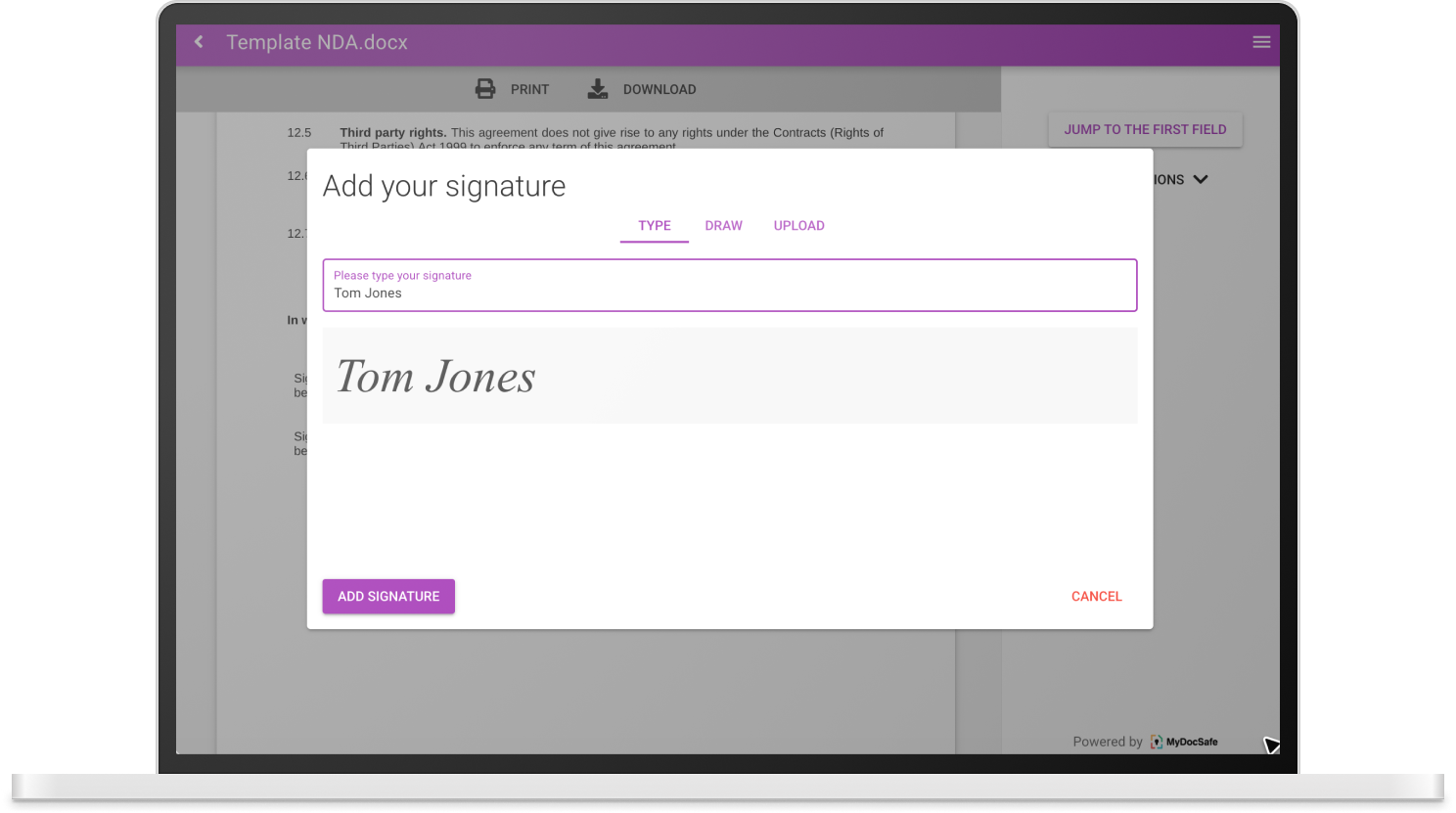
See how MyDocSafe client onboarding combines forms, file uploads, contracts and a client portal. Book a demo with your own documents.
For Docusign, start with the product family and usage unit. An envelope can contain multiple documents and signers, and counts when sent even if it is not completed. It is not the same thing as an individual signature.
The published UK eSignature Standard and Business Pro annual plans have an allowance of up to 100 envelopes per user per year; monthly plans have a different allowance. Overage, additional envelopes, advanced signatures and other add-ons can affect the quote. Do not apply those eSignature limits to every IAM plan.
Request a current Docusign quote including applicable VAT and add-ons, using the same billing term as MyDocSafe. Include any additional tools needed for intake and ongoing client exchange.
Check Docusign pricing and terms at the source. For MyDocSafe, compare the current plans, allowances and billing options; identity checks, qualified signatures and other add-ons need separate confirmation.
Budget for staff seats, client access, usage units, storage, migration, training and any tools you will retain. Check VAT, renewal terms and cancellation conditions with both vendors. We do not assume switching will save money.
Related context: Client workflows for financial services · MTD digital sign-up case study.
No. Alongside eSignature, Docusign promotes Intelligent Agreement Management with no-code workflows, AI document analysis and connected agreement data. Compare the actual product and tier you would buy.
No. The reviewed UK annual eSignature Standard and Business Pro plans list up to 100 envelopes per user per year. Personal, monthly, Enhanced and separate IAM offers have different terms.
Yes. Business Pro lists web forms, interactive fields and collecting payments during signing. That is why a fair evaluation needs to include the surrounding workflow, not assume those functions are missing.
Not necessarily. Check export formats, audit evidence, retention requirements and client access before planning a migration. Pilot a new engagement first; do not assume a switch automatically transfers historical evidence or existing integrations.
Verified 19 November 2026 against public primary sources, not a hands-on benchmark or legal assessment. Fit recommendations are MyDocSafe’s editorial judgement. Prices and plan entitlements can change; confirm your requirements in a current quote. Docusign’s eSignature allowances do not describe every IAM plan. VAT treatment was not stated on the reviewed plan cards.
MyDocSafe evidence: portals, signatures, forms, onboarding and pricing. Sources describe capabilities, not a guarantee of suitability for every legal or regulatory requirement.
Explore all comparisonsTry MyDocSafe with an engagement that needs information, documents and a signed agreement, then judge the complete client experience.