Broadcasting a form or a document to clients for filling or signing
Broadcasting a form or a document to clients for filling or signing
In this article we will discuss various broadcasting options: asking for information, for documents or document signatures.
1. Ask portal users to fill out a questionnnaire.
Pre-requisites: you have portals and form templates already set up.
Broadcasing a request to fill out a questionnaire can be done from the Portal list. Select 'Request information' option from the left hand side menu.
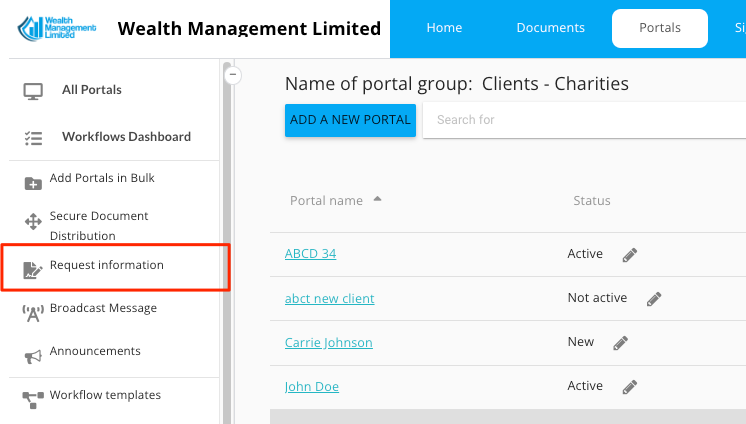
Then, select the questionnaire you want filled out, select the portals, create a message and click 'send'. In this case ALL portal users who are members of the portal group will receive the request.
2. Broadcast a document for signing
Right click on a document, select 'send for signing'
Add all signers - or a group, if you have it.
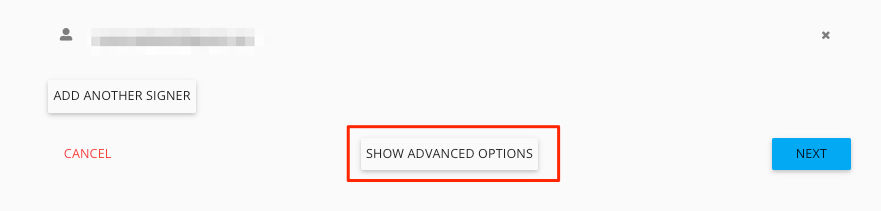
Click 'show advanced option'
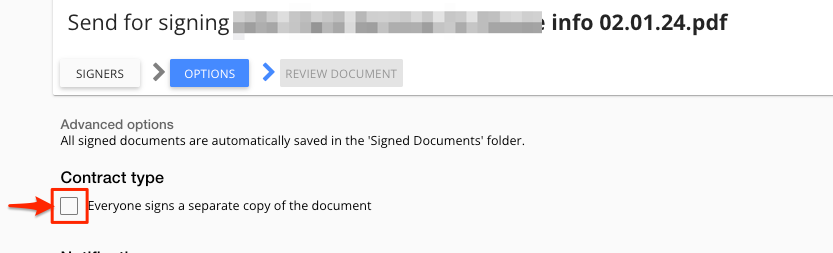
Tick "Each signee signs a separate copy of the document" option in Advanced Settings
Click 'Next' and drag/drop the signature boxes (one set for all signers)
In the final step, click 'Send'