Client Portals and approvals for Excel | MyDocSafe
MyDocSafe built a plugin for Excel which makes it easy to publish spreadhseets directly in client portals and even sending them for appoval
Office integrations:
Outlook document management system

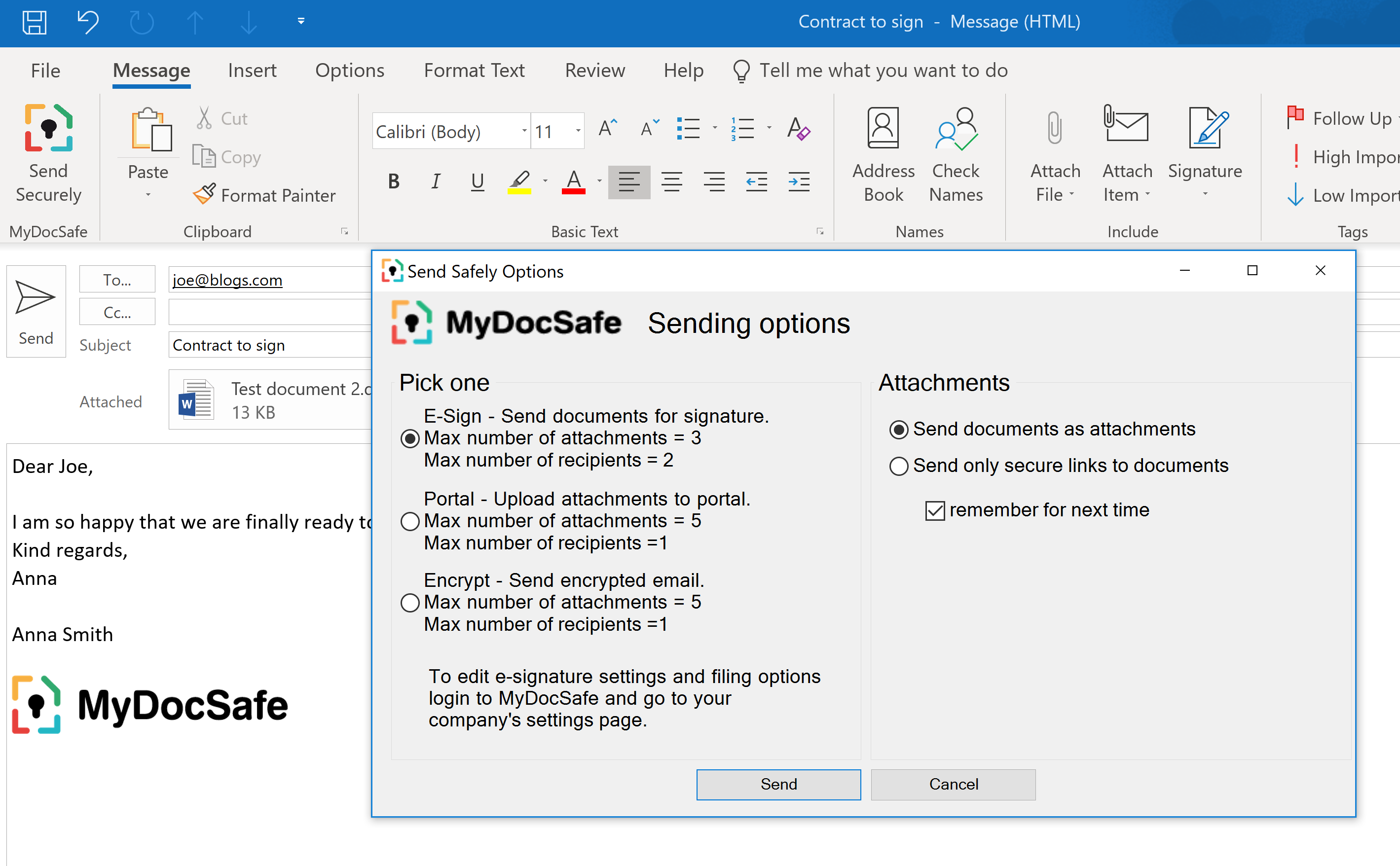
Installing MyDocSafe document management for Excel add-in adds a MyDocSafe button to top panel window in Microsoft Excel. This add-in also works with Office 365 (if you install Microsoft Outlook onto your computer).
The button will appear in the top left corner of your panel and allows the user to:
-
Send documents for approval directly from Excel
-
Publish documents in a user portal.
Select your system:
New Installation
IMPORTANT NOTE:
Please select the bit version of your Microsoft Excel (32-bit or 64-bit). MyDocSafe for Excel works on both 32-bit and 64-bit Windows so Windows bit version is not relevant.
Please follow the steps below to determine the Outlook bit version:
-
Excel 2013/2016: File > Account > About Excel (listed at the end of the first line on the pop-up)
-
Excel 2010: File > Help (listed on the first line below, “About Excel”)
Download 32 bit
Download 64 bit
Screenshots

How to install?
- Confirm if your Microsoft Excel is 32-bit or 64-bit if you are using Excel 2010, 2013, or 2016.
- Open Excel
- Excel 2013/2016: File > Account > About Excel (listed at the end of the first line on the pop-up)
- Excel 2010: File > Help (listed on the first line below, “About Excel”)
- Close Microsoft Excel
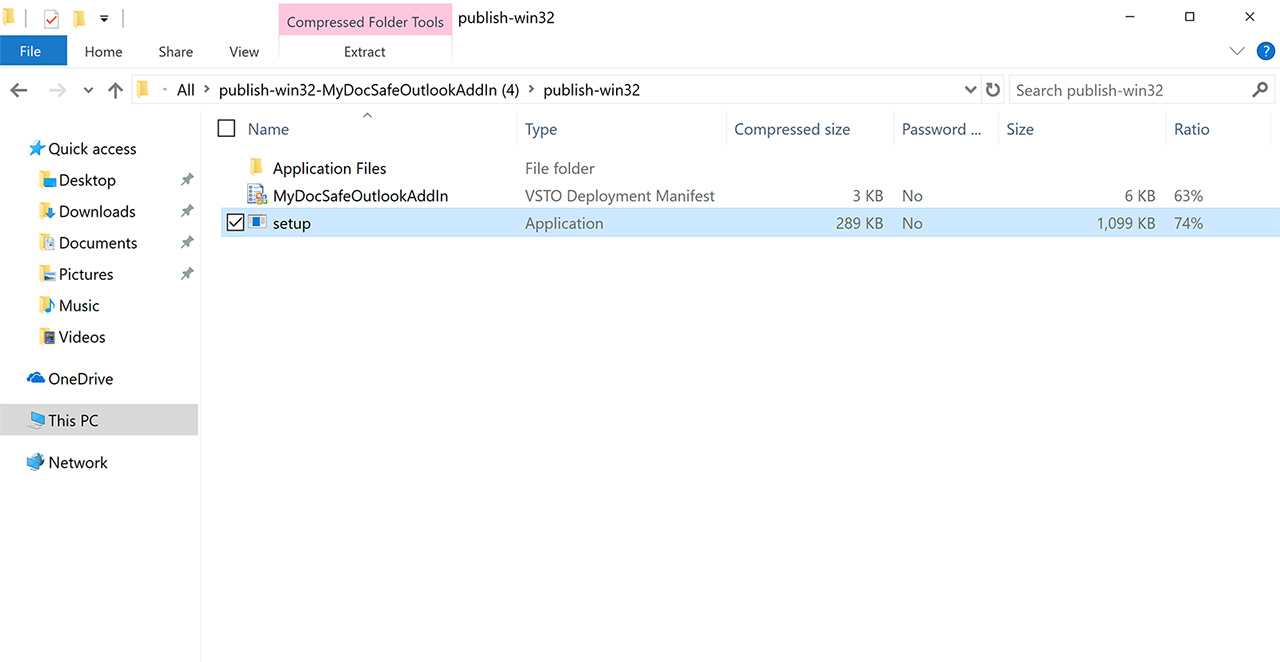
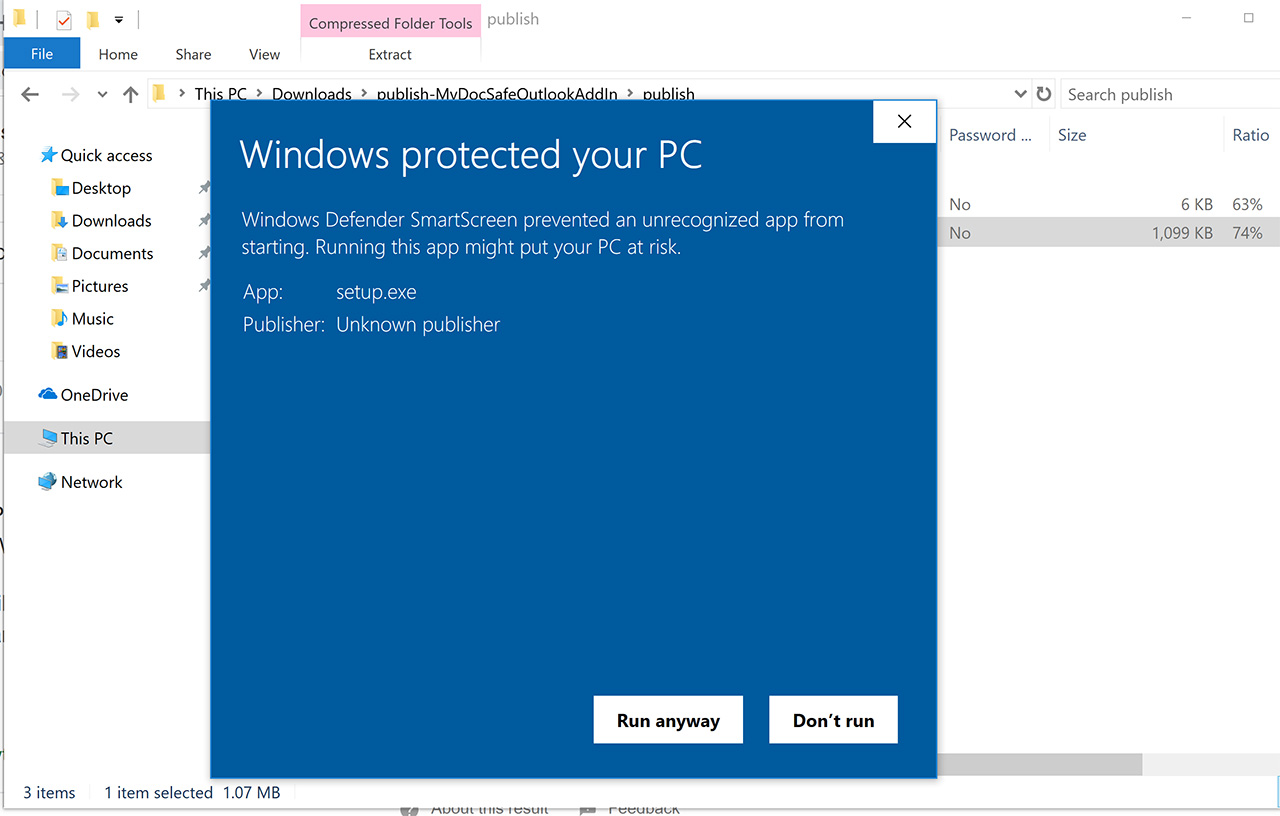
- Click the appropriate download button above and follow the installation wizard.
New Installation

-
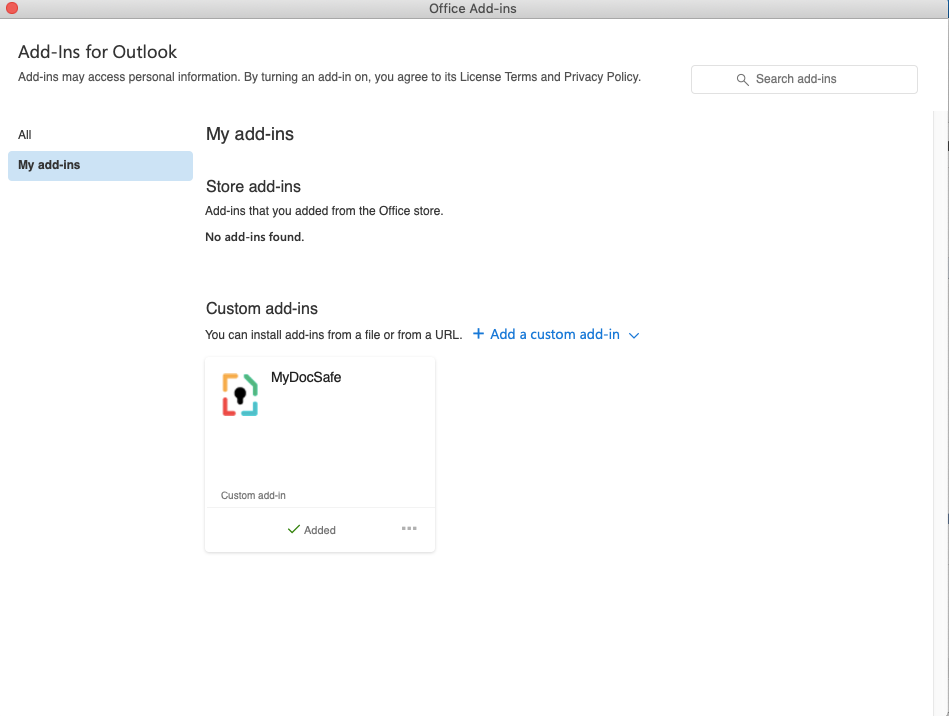
Click on the ‘Get Add-ins” button. If you can’t see that button that is probably because your Outlook has only one email account associated with it. Add any other account for the ‘Get Add-ins’ button to appear
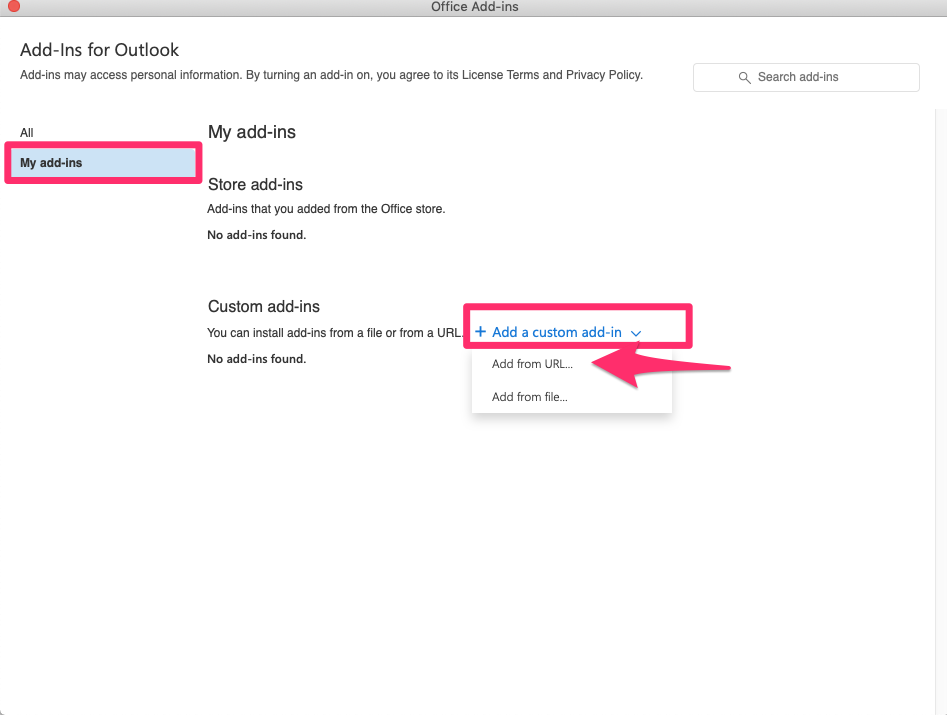
2. Go to “My add-ins”, then Custom add-ins and Add an addin from URL
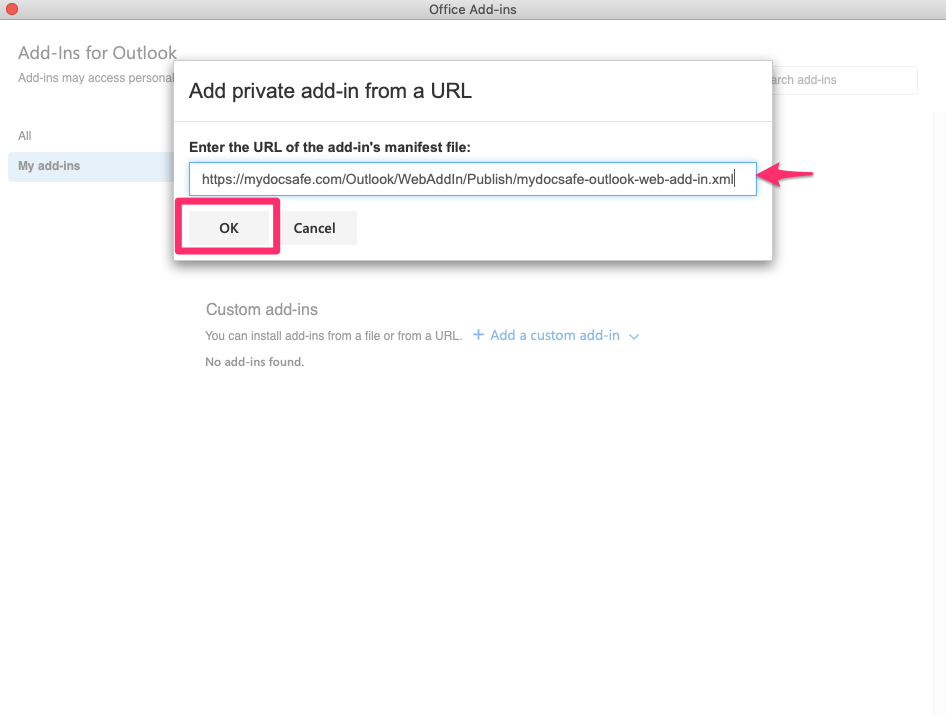
3. Enter the following URL in the dialogue box and click ‘ok’: https://mydocsafe.com/Outlook/WebAddIn/Publish/mydocsafe-outlook-web-add-in.xml
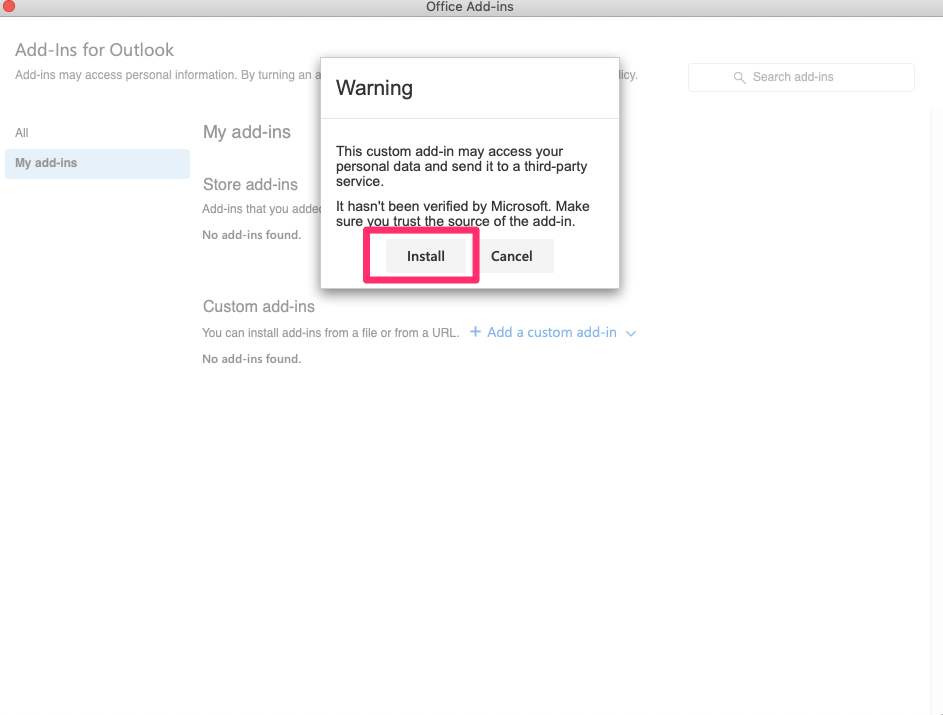
4. Install the plugin